
GALILEO Planet News
Posted April 19, 2013
GALILEO is there: Exploring Your Local History

In celebration of National Library Week, we are doing a series on how GALILEO is there supporting your community.
This week, we talked about GALILEO resources to help your career, to help you find your next favorite book, to help you research your family history, and to help students with homework.
Last, but not least, let’s look at what you can find out about your city or county history in GALILEO.
The New Georgia Encyclopedia is an authoritative resource on Georgia’s rich history, diverse culture, and still-unfolding story. To find the article about your county or city, click the Cities and Counties link on the left. Then, click the plus sign beside Cities and Towns or by Counties to see a list. All of the counties in Georgia are included, and many of the cities have articles as well. You can also search the New Georgia Encyclopedia for your city or county to see what you can find.
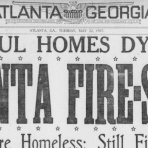
The Digital Library of Georgia is a gateway to Georgia’s history and culture, including books, photographs, newspapers, maps (including the Sanborn Fire Insurance Maps), and more. You can start by searching for your county or city, or you can try Browse by County to see collections in the Digital Library of Georgia that include items from your county.
GeorgiaInfo is the online almanac for Georgia. Choose the Counties or Cities sections on the left to see links to information on all counties and many cities in Georgia. Or, you can also use the search box in the upper right to see what you can find about your city or county.
There are a couple of ways to find local history information in HeritageQuest Online. We recently posted a tip on how to find historical state maps that show how county lines changed over time, which can help determine which counties existed (or not) in past years. You can also find local history books by choosing the Search Books section and searching for your city or county in the Places section.
To limit your search to Georgia information in Ancestry Library Edition, click the small all databases link at the bottom of the page. Then, scroll down to Filter by Location on the left of the screen to see collections from Georgia.
GALILEO recently provided a training on researching local history. Here are slides, handout, and the archived webinar as well as a training session outline for re-presenting this content.
Some links may not work off site. Log in to GALILEO first for access. Contact your local public library for assistance.
Outline Map from GeorgiaInfo
Posted April 19, 2013
Find Out About the Top 10 Most Challenged Books in 2012 in GALILEO

As a part of National Library Week, the American Library Association’s Office for Intellectual Freedom has released the “Top 10 Most Frequently Challenged Books of 2012” list.
Read about these books in NoveList, Novelist K-8, or Literary Reference Center:
Captain Underpants (series), by Dav Pilkey
Reasons: Offensive language, unsuited for age groupThe Absolutely True Diary of a Part-Time Indian, by Sherman Alexie
Reasons: Offensive language, racism, sexually explicit, unsuited for age groupThirteen Reasons Why, by Jay Asher
Reasons: Drugs/alcohol/smoking, sexually explicit, suicide, unsuited for age groupFifty Shades of Grey, by E. L. James
Reasons: Offensive language, sexually explicitAnd Tango Makes Three, by Peter Parnell and Justin Richardson
Reasons: Homosexuality, unsuited for age groupThe Kite Runner, by Khaled Hosseini
Reasons: Homosexuality, offensive language, religious viewpoint, sexually explicitLooking for Alaska, by John Green
Reasons: Offensive language, sexually explicit, unsuited for age groupScary Stories (series), by Alvin Schwartz
Reasons: Unsuited for age group, violenceThe Glass Castle, by Jeanette Walls
Reasons: Offensive language, sexually explicitBeloved, by Toni Morrison
Reasons: Sexually explicit, religious viewpoint, violence
See the ALA site for more information on banned and challenged books.
Some links may not work off site. Log in to GALILEO first for access.
Posted April 18, 2013
GALILEO is there: Helping Your Students with Homework

In celebration of National Library Week, we are doing a series on how GALILEO is there supporting your community.
Earlier this week, we talked about GALILEO resources to help your career, to help you find your next favorite book, and to help you research your family history.
Now, let’s talk about getting homework help at the public library. Whether it’s for a public school student, a homeschooler, or a college student, GALILEO provides resources to help get through that assignment.
By default, anyone logging in to GALILEO at their public library will see the GALILEO Library view for general use.
However, K-12 students can try going to the GALILEO High School or GALILEO Teen views to find resources by topic or subject, and college students can go to the GALILEO Scholar view to see scholarly resources for a particular subject.
Good resources for any topic are Kids Search (elementary), Student Research Center (middle and high school), and Academic Search Complete (scholarly, peer-reviewded articles). Also, the eBooks at EBSCOhost collection can be a helpful resource for research projects, particularly literature papers.
Finally, students accessing GALILEO at their public library will see only the resources that the public libraries purchase, but colleges and K-12 schools purchase different resources designed for students. If students know the GALILEO password for their school, they can click the “Log in as another user” link in the upper right corner of the GALILEO main page to see the additional resources that their school system or their college or university offers.
Contact your local public library for assistance with these resources and to see what additional homework help your library may offer.
Image from Encyclopædia Britannica
Posted April 18, 2013
Support Children’s and Teen Reading with GALILEO

Looking for a book to help your child or teen get interested in reading? Or, has your student read all of those books in that series and need a new series or a new author to read?
NoveList (for high school students) and NoveList K-8 (for elementary and middle school students) provide book and author recommendations for children and teens as well as recommended books lists. Earlier this week, we looked at how NoveList can help adults find books to read, but let’s focus now on using these tools for children and teens.
First, you can search for a favorite book title or author. Find your favorite book or author in the results list and then check out the links to Title Read-alikes and Author Read-alikes links to see recommendations. You’ll also see Series Read-alikes for some books.
Second, you can search for a topic of interest and then limit the results to the age range you want (Teen, Ages 9-12, or Ages 0-8).
Third, find book lists on the Home page of Novelist. Note that you can see recommended reading lists for many genres, including adventures stories, fantasy, mysteries, science fiction, and more. Just look at the list on the left of the Home page of NoveList. Note that when you change the age range, you’ll see different genres for that age.
Finally, here are a few tips we posted earlier as well as a few best books lists from 2012:
* Finished the Hunger Games and Looking for the Next Series to Read?
* Books to TV and Books to Movies in NoveList
* Best Younger Kids Fiction 2012
* Best Older Kids Fiction 2012
* Best Tween Fiction 2012
* Best Teen Fiction 2012
Some links may not work off site. Log in to GALILEO first for access. Contact your local public library for assistance.
Image from Encyclopædia Britannica
Posted April 17, 2013
GALILEO is there: Researching Your Family History

In celebration of National Library Week, we are doing a series on how GALILEO is there supporting your community.
So far, we have talked about GALILEO resources to help your career and to help you find your next favorite book.
Today, let’s see how GALILEO can help you research your family tree.
Take a look at HeritageQuest Online, which includes census records, local histories, family histories, and more. Also, we previously wrote a tip on how to find historical state maps in HeritageQuest Online, which show how the county lines changed over the years. HeritageQuest Online also includes genealogy training videos and slide presentations for users; just look for the Learner Center link at the top after you log in.
Also, Ancestry Library Edition, which includes military, immigration, census, court, birth, marriage, and death records as well as maps, images, obituaries, and much more. Ancestry Library Edition also provide blank census forms and research forms to help you keep up with the information you collect; just click the Charts and Forms tab at the top to see these. (This database is only available in the library due to licensing restrictions from the vendor, so you’ll need to go to your local Georgia public library to access it.)
If you’re wondering about the difference in HeritageQuest Online and Ancestry Library Edition, the vendor, ProQuest, has created a comparison chart.
For all things Georgia, the Digital Library of Georgia includes over a million digital items on Georgia’s history and culture, including digitized books, photographs, newspapers, maps (including the Sanborn Fire Insurance Maps), and more.
Find additional resources in the Genealogy and Georgia History and Culture sections of GALILEO.
GALILEO has upcoming training sessions on Ancestry Library Edition and HeritageQuest Online during April. Register for these on the GALILEO Training page.
Some links may not work off site. Log in to GALILEO first for access. Contact your local public library for assistance and to see what additional genealogy and local history resources they may offer.
Image from the Vanishing Georgia collection of the Digital Library of Georgia